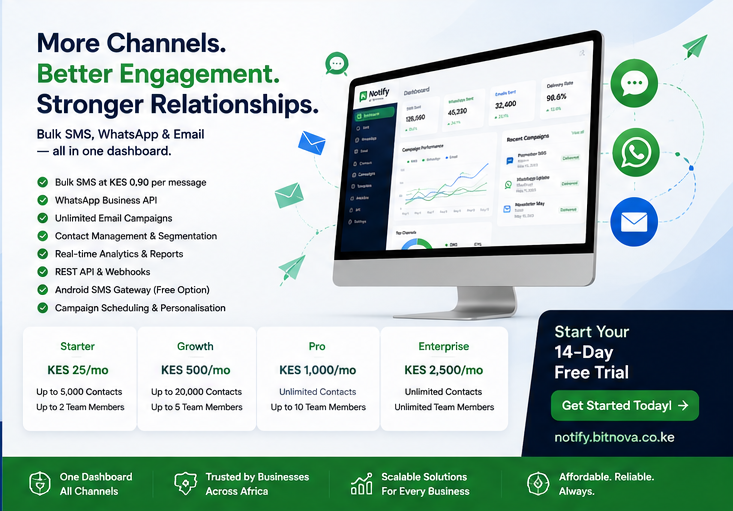
Bitnova Notify: Automated WhatsApp, SMS & Email Alerts for Kenyan Businesses in 2026
In Kenya, if you don’t respond fast, you lose the sale. Customers expect instant updates on payments, orders, appointments, and support requests—especially over WhatsApp and SMS.
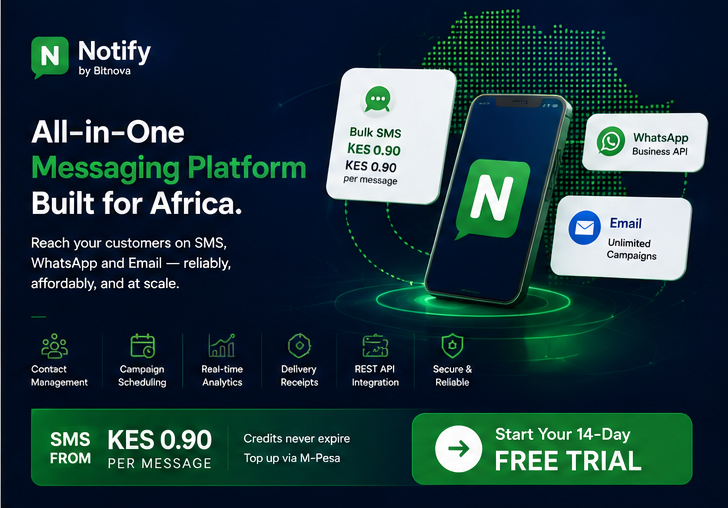
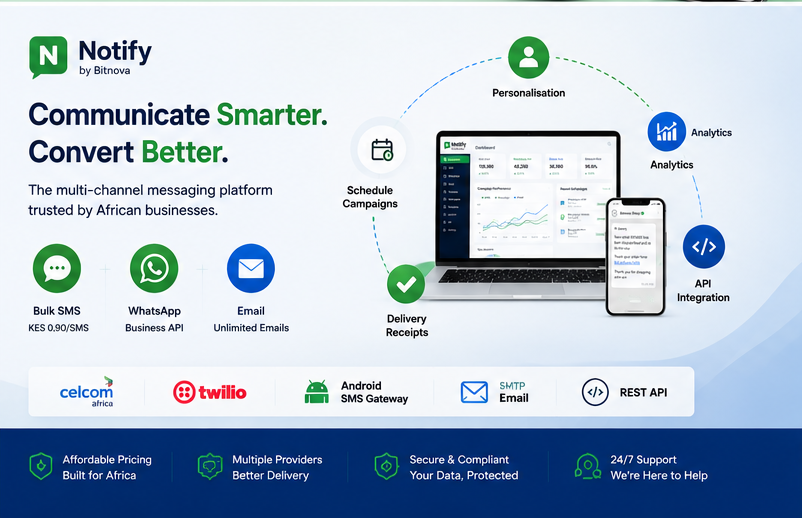
Bitnova Notify is an automated notifications platform built for Kenyan businesses. It lets you send real-time alerts, reminders, and updates via WhatsApp, SMS, and email, triggered by events in your payment gateway, ERP, POS, school system, or custom apps.tuma.co+1
Instead of manually messaging every customer, you set up rules once and let Bitnova Notify handle the rest—24/7.
What Is Bitnova Notify?
Bitnova Notify is a business notification engine that connects your systems (M-Pesa, ERP, POS, e-commerce, school management, etc.) to your customers’ favorite communication channels:
-
WhatsApp – for rich, conversational alerts
-
SMS – for universal, high-delivery messages
-
Email – for detailed statements, receipts, and reports
When something important happens in your business—like a payment received, an order status change, or an upcoming appointment—Bitnova Notify automatically sends the right message to the right person at the right time.
It’s designed for companies that want to:
-
Reduce manual follow-ups
-
Improve customer experience
-
Cut no-shows and late payments
-
Keep everyone informed without extra work
Why Kenyan Businesses Need Automated Notifications
1. Customers Expect Instant Updates
Today’s customers don’t want to call and ask, “Has my payment been received?” or “Is my order ready?”
With Bitnova Notify, they get instant, automatic messages like:
-
“We’ve received your KES 2,500 payment via M-Pesa. Thank you!”
-
“Your order #1234 is out for delivery. Expected by 4 PM.”
-
“Reminder: Your appointment is tomorrow at 10 AM. Reply C to confirm.”
This builds trust and reduces support queries.
2. Save Hours of Manual Messaging
Many teams still:
-
Copy-paste customer numbers from Excel
-
Type similar messages over and over
-
Forget to follow up on unpaid invoices or upcoming appointments
Bitnova Notify automates these repetitive tasks so your staff can focus on higher-value work like sales, service, and problem-solving.
3. Improve Collections and Reduce No-Shows
Automated reminders are proven to:
-
Increase on-time payments
-
Reduce missed appointments and classes
-
Lower last-minute cancellations
Examples:
-
“Your invoice #INV-2025-089 is due in 2 days. Pay via M-Pesa: [link].”
-
“Reminder: Fee balance of KES 4,300 for Term 2. Please settle by Friday.”
-
“You have a booking tomorrow at 3 PM. Reply 1 to confirm, 2 to reschedule.”
This is especially powerful for schools, clinics, salons, gyms, and service businesses.
4. Integrate with M-Pesa, ERP, POS, and More
Kenyan businesses run on M-Pesa and local systems. Bitnova Notify is designed to plug into:
-
M-Pesa payment events (paybill, till, API webhooks)
-
Bitnova ERP (invoices, payments, stock alerts)
-
Bitnova POS (sales receipts, kitchen orders, delivery updates)
-
E-commerce platforms (order confirmations, shipping updates)
-
School systems (fee reminders, exam alerts, attendance notices)
-
Custom apps via webhooks and APIs
When a payment lands or an order changes status, Bitnova Notify triggers the appropriate message automatically.
5. Multi-Channel, One Platform
Instead of managing separate WhatsApp, SMS, and email tools, Bitnova Notify gives you:
-
One dashboard to design templates and workflows
-
Unified contact lists and segmentation
-
Centralized logs of all messages sent
-
Analytics on delivery, opens, and responses
This simplifies operations and reduces costs.
Core Use Cases for Bitnova Notify
1. Payment & Invoice Alerts
For retailers, service providers, schools, and landlords:
-
Instant payment confirmation:
-
“We’ve received KES 3,200 from John Kamau. Invoice #INV-2025-045 is now paid.”
-
-
Payment reminders:
-
“Your invoice #INV-2025-089 (KES 5,000) is due in 3 days. Pay via M-Pesa: [link].”
-
-
Overdue notices:
-
“Your account is 7 days overdue (KES 8,400). Please settle today to avoid interruption.”
-
These messages improve cash flow and reduce awkward follow-up calls.
2. Order & Delivery Updates
For e-commerce, restaurants, and logistics:
-
Order confirmation:
-
“Thanks for your order #ORD-7892. Total: KES 2,150. Expected delivery: 2–3 days.”
-
-
Dispatch alert:
-
“Your order is out for delivery with rider Brian.”
-
-
Delivery confirmation:
-
“Your order has been delivered. Rate your experience.”
-
This reduces “Where is my order?” inquiries and improves customer satisfaction.
3. Appointment & Booking Reminders
For clinics, salons, gyms, consultants, and schools:
-
Appointment reminder:
-
“Reminder: You have a session with Dr. Achieng tomorrow at 11 AM. Reply C to confirm.”
-
-
Class/webinar reminder:
-
“Your Python class starts today at 6 PM. Join link: [link].”
-
-
Reservation reminder:
-
“Your table for 4 is booked for Friday at 7 PM. Reply 1 to modify.”
-
This significantly cuts no-shows and last-minute cancellations.
4. School & Training Institution Alerts
For schools, colleges, and training centers:
-
Fee reminders:
-
“Term 2 fee balance: KES 12,500. Due date: 30 Aug. Pay via M-Pesa: [link].”
-
-
Exam notifications:
-
“End-of-term exams start on 10 Sept. Timetable: [link].”
-
-
Attendance alerts to parents:
-
“Your child was marked absent today. Contact school office if this is an error.”
-
This keeps parents informed and improves fee collection.
5. Support & Internal Alerts
For operations and support teams:
-
New ticket/lead alert to staff:
-
“New support ticket #TKT-345 from Jane. Subject: ‘Cannot login’. Assign now: [link].”
-
-
Escalation alerts:
-
“Ticket #TKT-345 is overdue by 24 hours. Please escalate.”
-
-
Internal ops alerts:
-
“Low stock alert: Item X has 5 units left. Reorder recommended.”
-
This ensures nothing slips through the cracks.
How Bitnova Notify Works
Step 1: Connect Your Systems
Link Bitnova Notify to your existing tools:
-
M-Pesa (paybill, till, or API)
-
Bitnova ERP / POS / Schools
-
E-commerce platform or custom app
-
CRM or helpdesk
Most integrations use webhooks or simple API calls. For example, when your ERP marks an invoice as “paid,” it sends a webhook to Bitnova Notify.
Step 2: Design Message Templates
Create templates for each scenario:
-
Payment received
-
Payment reminder
-
Order confirmed
-
Order dispatched
-
Appointment reminder
-
Fee alert
You can personalize messages with variables like:
-
{{customer_name}} -
{{amount}} -
{{invoice_number}} -
{{appointment_date}}
Templates ensure consistency and speed.
Step 3: Set Triggers & Rules
Define when each message should be sent:
-
“When invoice status = ‘paid’ → send payment confirmation.”
-
“When invoice due date – 3 days → send reminder.”
-
“When order status = ‘dispatched’ → send delivery update.”
-
“When appointment time – 24 hours → send reminder.”
You can also add conditions like:
-
Only send WhatsApp if the customer has opted in; otherwise, send SMS.
-
Don’t send reminders after 8 PM.
Step 4: Test & Go Live
-
Send test messages to your team.
-
Check formatting, links, and personalization.
-
Turn on live triggers.
Bitnova Notify then runs in the background, sending messages automatically as events occur.
Key Features of Bitnova Notify
-
Multi-channel delivery: WhatsApp, SMS, and email from one platformtuma.co+1
-
Event-driven automation: Trigger messages from M-Pesa, ERP, POS, e-commerce, and custom apps
-
Personalized templates: Use variables to tailor messages per customer or transaction
-
Two-way interactions: Allow customers to reply (e.g., confirm, reschedule, request help)
-
Scheduling & rules: Send messages at optimal times; avoid late-night notifications
-
Centralized logs: Track all messages, statuses, and responses in one place
-
Kenya-ready integrations: Built to work with M-Pesa and local business systems
Bitnova Notify vs Manual Messaging
If you’re sending more than a few dozen messages a day, automation quickly pays for itself.
Real-World Examples
Example 1: Online Store Using M-Pesa
-
Customer pays via M-Pesa.
-
Payment gateway sends a webhook to Bitnova Notify.
-
Customer instantly receives:
-
WhatsApp: “Payment of KES 2,350 received. Order #1234 confirmed. We’ll notify you when it ships.”
-
-
When the order is dispatched:
-
SMS: “Order #1234 is out for delivery. Expected by 5 PM. Rider: Brian.”
-
Result: fewer “Where is my order?” messages and higher trust.
Example 2: School Collecting Fees
-
System detects unpaid fees 5 days before due date.
-
Bitnova Notify sends:
-
WhatsApp to parent: “Term 2 fee balance: KES 9,800. Due: 25 Aug. Pay via M-Pesa: [link].”
-
-
If unpaid after due date:
-
SMS: “Your child’s fee is 3 days overdue. Please settle to avoid exam restrictions.”
-
Result: improved fee collection and fewer awkward calls from accounts staff.
Example 3: Clinic with Frequent No-Shows
-
Appointment booked for 10 AM tomorrow.
-
Bitnova Notify sends at 10 AM today:
-
WhatsApp: “Reminder: Your appointment with Dr. Kim is tomorrow at 10 AM. Reply 1 to confirm, 2 to reschedule.”
-
-
If no response by 6 PM:
-
SMS reminder with same options.
-
Result: fewer empty slots and better utilization of doctors’ time.
Getting Started with Bitnova Notify
1. Identify High-Impact Use Cases
Start with 1–2 scenarios that cause the most manual work or biggest losses, such as:
-
Payment reminders for overdue invoices
-
Order status updates for e-commerce
-
Appointment reminders for clinics or salons
2. Map Your Triggers
For each use case, define:
-
What event triggers the message? (e.g., “invoice due – 3 days”)
-
Which channel(s) to use? (WhatsApp, SMS, email)
-
What should the message say?
3. Set Up Templates & Integrations
-
Create message templates in Bitnova Notify.
-
Connect your M-Pesa, ERP, POS, or other system via webhooks/API.
-
Test with a small group (staff or friendly customers).
4. Launch, Monitor, and Optimize
-
Go live for the selected use cases.
-
Monitor delivery rates, responses, and outcomes (e.g., fewer no-shows).
-
Refine message wording, timing, and rules based on results.
Over time, you can add more scenarios and expand to other departments.
Frequently Asked Questions
Can Bitnova Notify send messages outside Kenya?
Yes, depending on your configuration and provider agreements, Bitnova Notify can support international SMS, WhatsApp, and email. For specific country coverage and pricing, consult Bitnova’s team.
Do customers need to opt in for WhatsApp messages?
Yes. WhatsApp requires explicit customer consent for business-initiated messages. Bitnova Notify supports opt-in flows and template approval processes to keep you compliant with WhatsApp policies.bitnova.co+1
Can I use Bitnova Notify without Bitnova ERP or POS?
Yes. Bitnova Notify can integrate with any system that can send webhooks or API calls, including third-party ERPs, e-commerce platforms, custom apps, and payment gateways.
How is pricing structured?
Notification costs typically include:
-
Platform/subscription fee (if any)
-
Per-message costs for WhatsApp and SMS (varies by provider and volume)
-
Email is often low-cost or included in higher tiers
Exact pricing depends on your volume, channels, and setup.
Is Bitnova Notify secure?
Bitnova Notify uses secure API connections and role-based access to protect your data and customer contacts. For detailed security and hosting information, you can request documentation from Bitnova.
Ready to Automate Your Business Communications?
In a fast-moving market, speed and consistency win.
Bitnova Notify helps Kenyan businesses automate payment alerts, order updates, reminders, and support messages over WhatsApp, SMS, and email—integrated with M-Pesa, ERP, POS, and your existing tools.tuma.co+1
Stop chasing customers manually. Let Bitnova Notify keep them informed, engaged, and paying on time—while your team focuses on growth.
Comments (0)
💬
No comments yet. Be the first!